GIMMETIX
Tickets for the shows people queue for
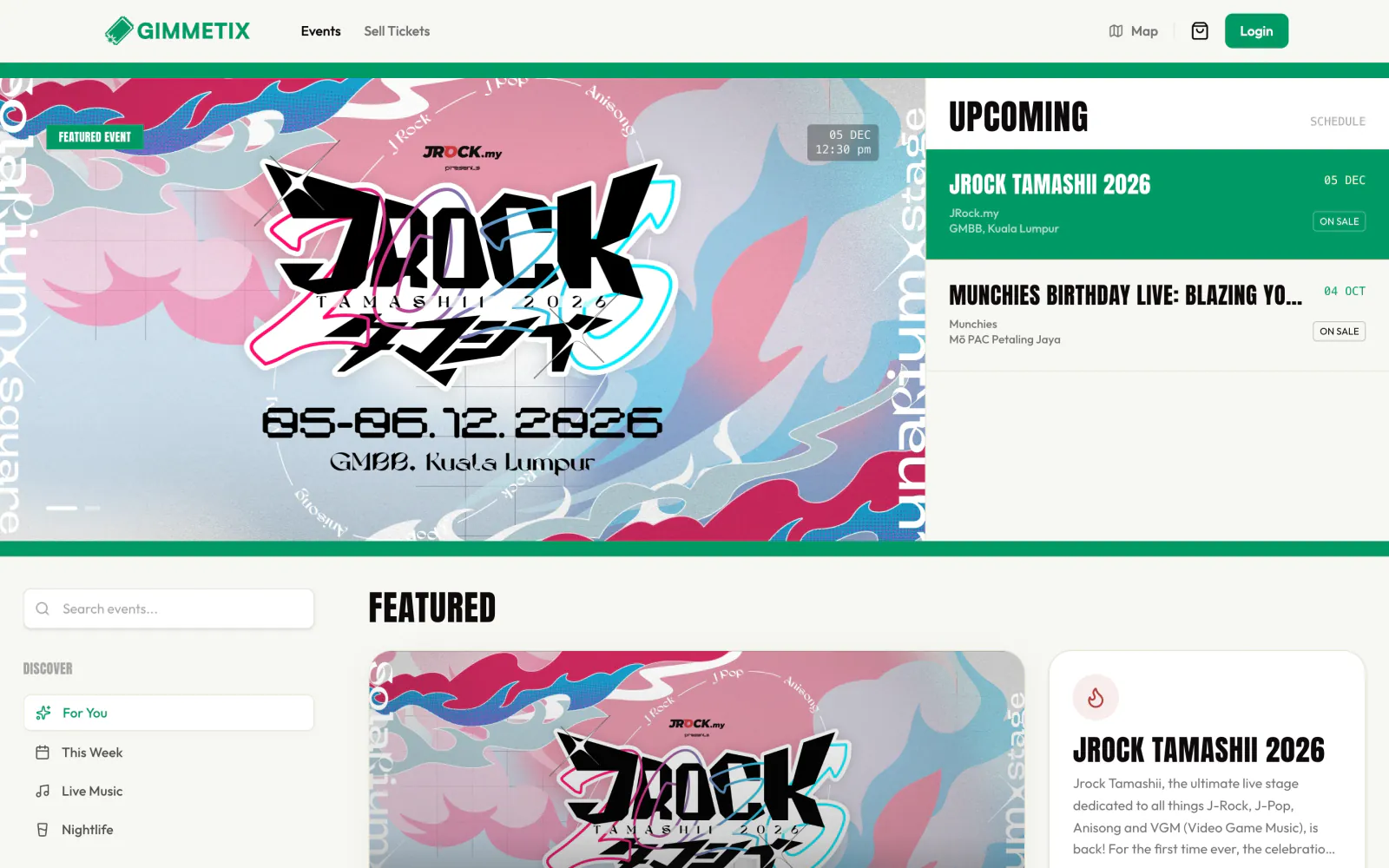
Malaysia’s online ticketing platform for live events, built and run by our team: event discovery, ticket checkout, organiser onboarding and the Live Draw behind on-stage lucky draws.
Where it started.
Live events move fast. A fan con or a world tour goes on sale and the promoter needs a page up, payments working and a clear picture of who is coming. Fans need one place to see what’s on, trust the ticket and pay in a minute. We wanted a single platform that does all of it, and lets an organiser start with almost nothing.
How we approached it.
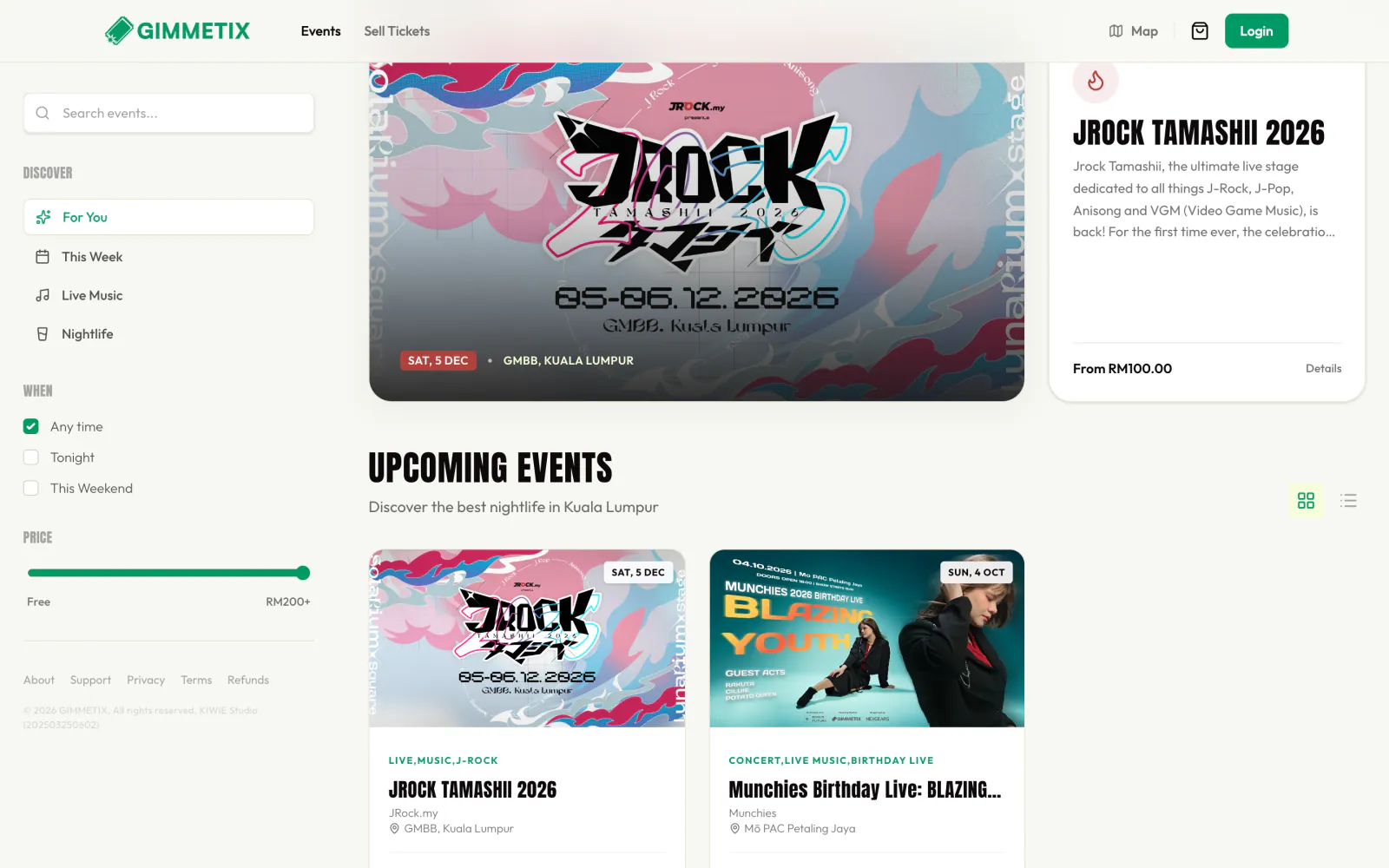
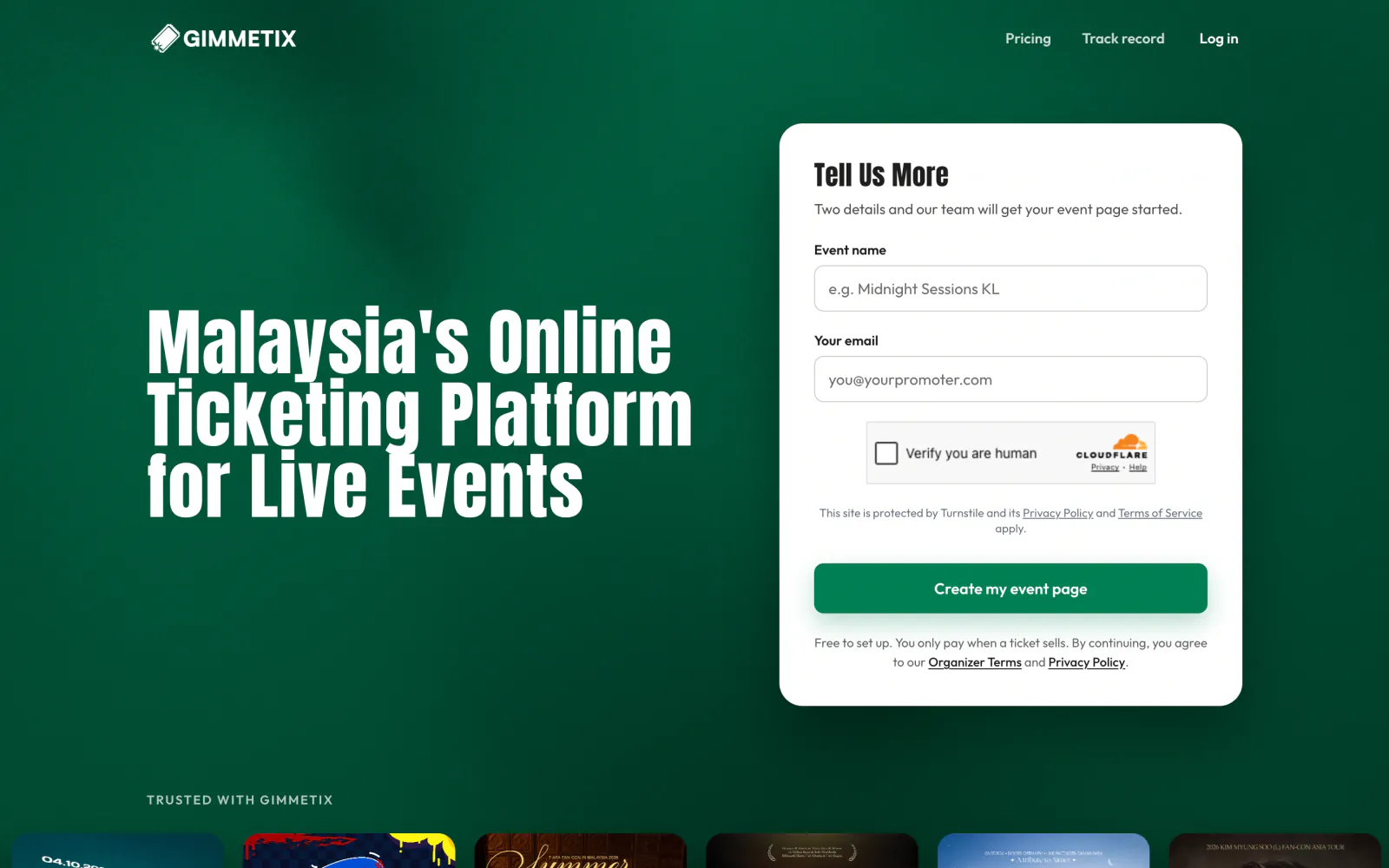
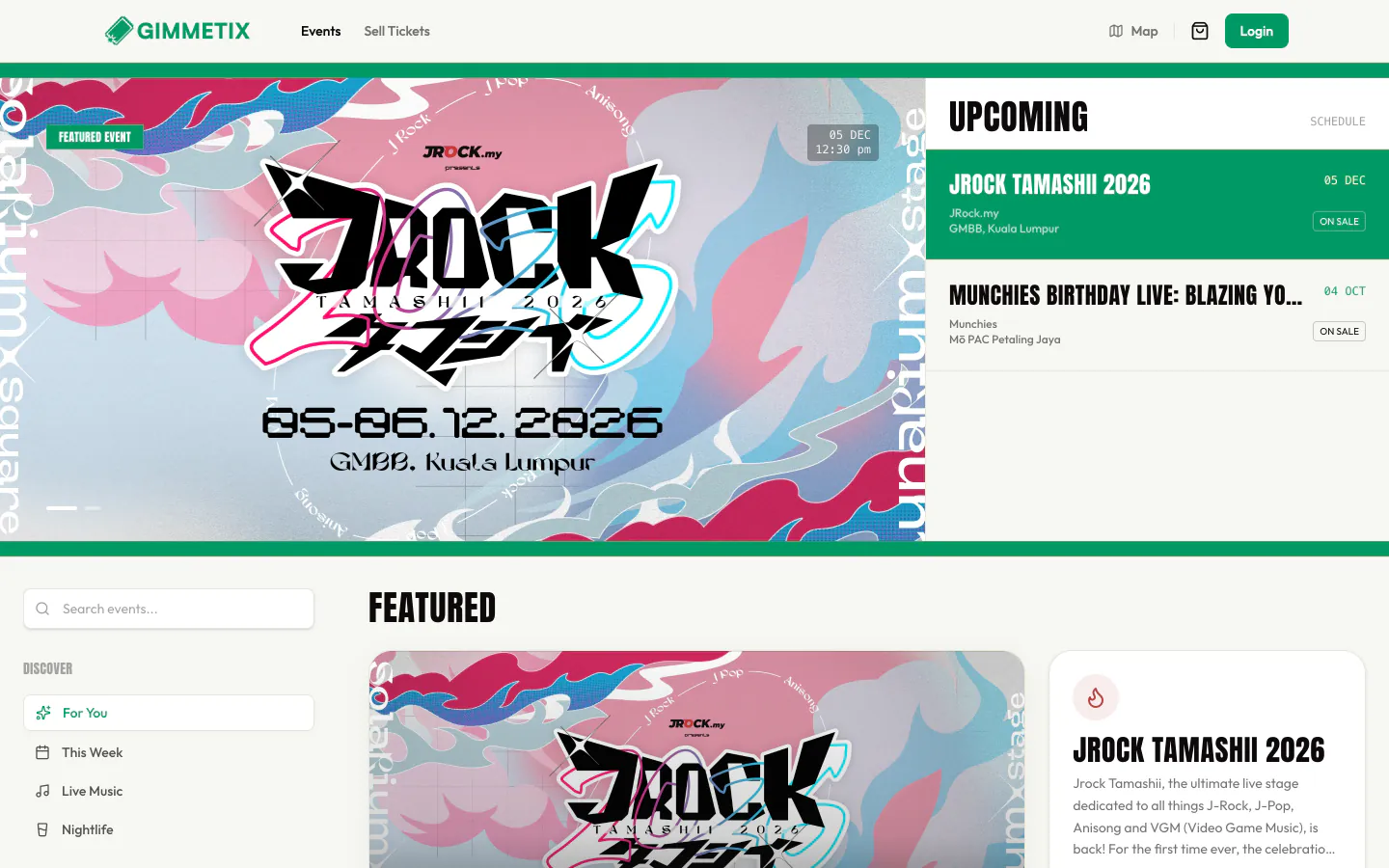
We designed GIMMETIX like a wall of gig posters: bold event artwork, a clear schedule and one button to buy. Fans browse by mood (For You, This Week, Live Music, Nightlife), by date and by price. Organisers start with two details, an event name and an email, and we build the page with them; it’s free to set up and they only pay when a ticket sells. The same platform runs Live Draw, the lucky-draw system we built for Fusion Vibes.
Where it stands.
GIMMETIX is live at gimmetix.com, with events on sale across Kuala Lumpur and Selangor and a track record that includes JRock Tamashii 2026 at GMBB, the T-ARA fan con at Mega Star Arena and Kenny G’s 2026 world tour at Arena of Stars.
The system behind it.
GIMMETIX, taken apart: from the screen people use to the work that keeps it running.
-
Interface
What fans see
- Poster wall
- Tickets on sale now
- One button to buy
-
Platform
SvelteKit, phone-first
- /
- /event/[slug]
- /checkout
- /login
-
Organisers
Start with two details
- /sell-tickets
- Event page set-up
- Pricing
- Track record
-
Data
Events and tickets
- Events
- Venues
- Ticket categories
- Orders
- Organisers
-
Operations
On the edge
- Cloudflare
- Turnstile bot checks
- Web Analytics
- Live Draw on show night
What we built.
Event discovery
A featured event, an upcoming schedule and filters for mood, date and price, so fans find the night they want in a few taps.
Event pages
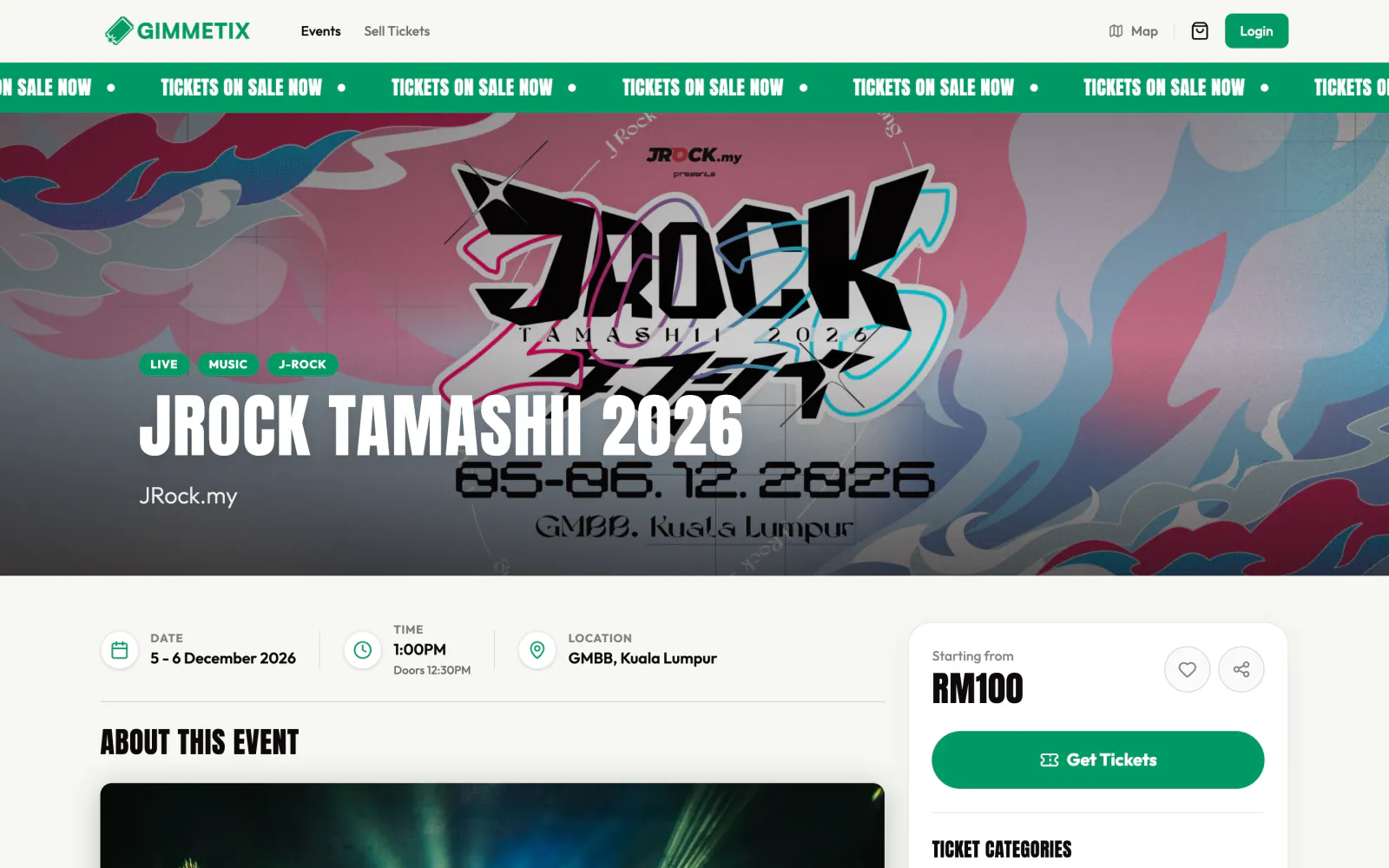
Poster-first pages with a “tickets on sale now” ticker, date, doors, venue, ticket categories and the starting price up front.
Checkout
Ticket categories into a cart and a straightforward checkout, built for phones first.
Organiser onboarding
An event page started from a name and an email, protected from bots with Cloudflare Turnstile. Free to set up; organisers pay only when a ticket sells.
Track record
Every past event stays on the record, from fan cons at Mega Star Arena to a world tour at Arena of Stars.
Live Draw
The lucky-draw module for event nights: sealed, provably fair results on an LED display, first used for Fusion Vibes.
Under the hood.
- Frontend
- SvelteKit, Mobile-first UI
- Platform
- Event pages, Checkout, Organiser onboarding, Live Draw
- Edge & security
- Cloudflare, Turnstile, Cloudflare Web Analytics
By the numbers
- 8 events on the platform so far, from fan cons to a world tour
- 2 details to start an event page: a name and an email
- 1 platform for discovery, checkout and live draws